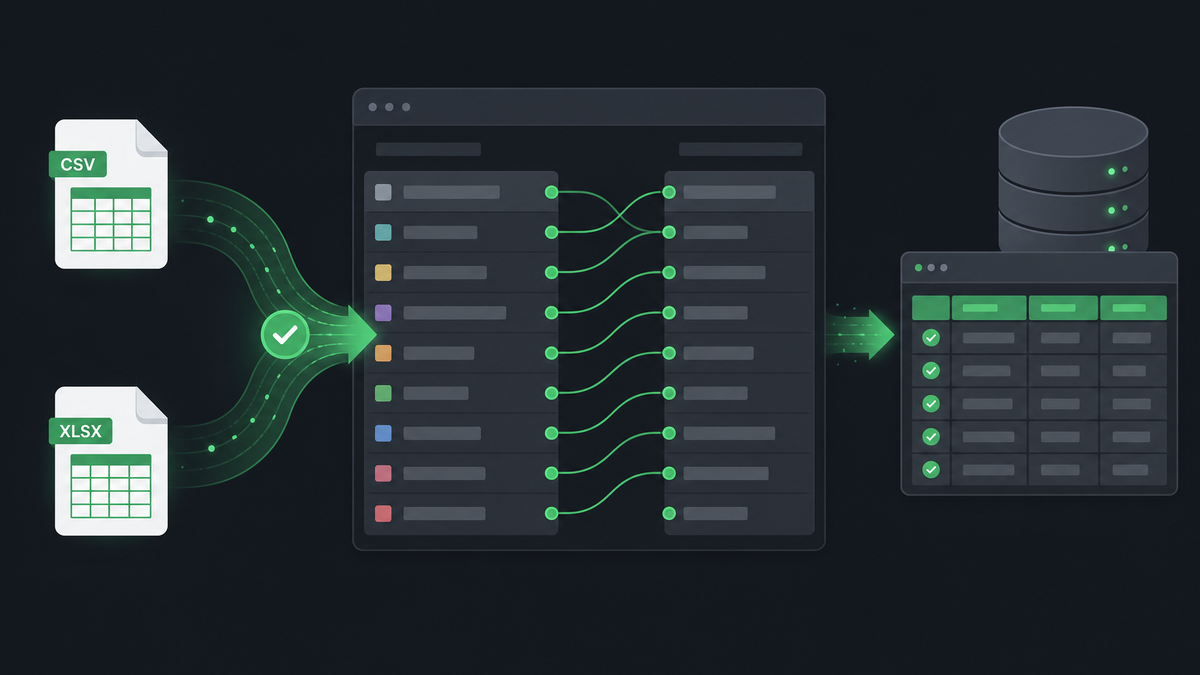
Every legacy billing export looks different. One vendor labels the column User ID, another uses PPPoE, and your old spreadsheet might say Login. Fixed Excel templates break the moment you switch software.
Template-free import
Smart Import accepts CSV, XLSX, and XLS files as they come. Upload your export, review suggested field mappings, and confirm before anything is written to the database. You stay in control — nothing imports silently.
How mapping works
- Upload your file from the import screen
- The system detects headers and sample rows
- Fields are matched to client, package, billing, and zone columns
- You adjust any wrong matches in a simple UI
- Import runs in batches with a progress log
Why this matters for Bangladesh ISPs
Migration friction is the number-one reason ISPs delay switching panels. Removing the “reformat your entire database first” step cuts migration from weeks to hours.
AI-assisted mapping (rolling out)
We are adding AI suggestions for ambiguous columns — especially mixed Bangla/English headers. Human approval is always required before data is committed.
Have a messy export file? Send it during a demo and we will show you the mapping live.